
This guide takes you from nothing to a Fully Noded wallet talking to your own Bitcoin node. We’ll use FN-Server on a Mac to run the node and Fully Noded on iPhone, iPad or Mac as the wallet. If you already run a node package (Umbrel, Start9, Parmanode, MyNode, RaspiBlitz, BTCPayServer, Nodl…) skip to step 3.
You’ll need: a Mac with enough disk for the blockchain (or a pruned node), an iPhone/iPad/Mac with Fully Noded from the App Store, and some patience while your node syncs.
1. Install and verify FN-Server
Download the latest release zip from the home page or GitHub releases. Before opening anything, verify it. Import the signing key:
gpg --recv-keys 77F9FFAAThen check the signature on the dmg and on the checksum file, and confirm the hash matches the one listed in SHA256SUMS:
gpg --verify FullyNoded-Server-v0.2.3.dmg.asc FullyNoded-Server-v0.2.3.dmg
gpg --verify SHA256SUMS.asc SHA256SUMS
shasum -a 256 FullyNoded-Server-v0.2.3.dmg
You want to see Good signature from both gpg commands and an identical hash from shasum. If anything doesn’t match, stop and don’t install. Once verified, open the dmg and drag FN-Server into Applications.
2. Start your node
On first launch FN-Server checks for Xcode command line tools and Homebrew and prompts you to install them if missing. It then downloads Bitcoin Core (or Bitcoin Knots, selectable in Settings) from the official source, verifies the hashes and lets you GPG-verify the release with one click, and installs it into ~/.fullynoded, leaving any existing Bitcoin data directory untouched.
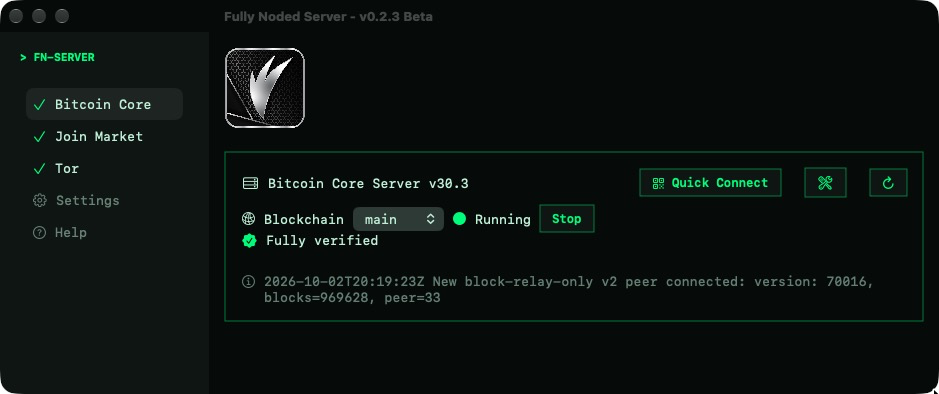
Press Start. Your node will begin its initial block download, which can take anywhere from hours to days depending on your machine and connection. The status line shows sync progress; when it reads Fully verified you’re done.
Tor is built in. Open the Tor tab to confirm it’s running. FN-Server automatically creates hidden services for your node so you can reach it from anywhere without opening ports or exposing your IP.

3. Add your node to Fully Noded
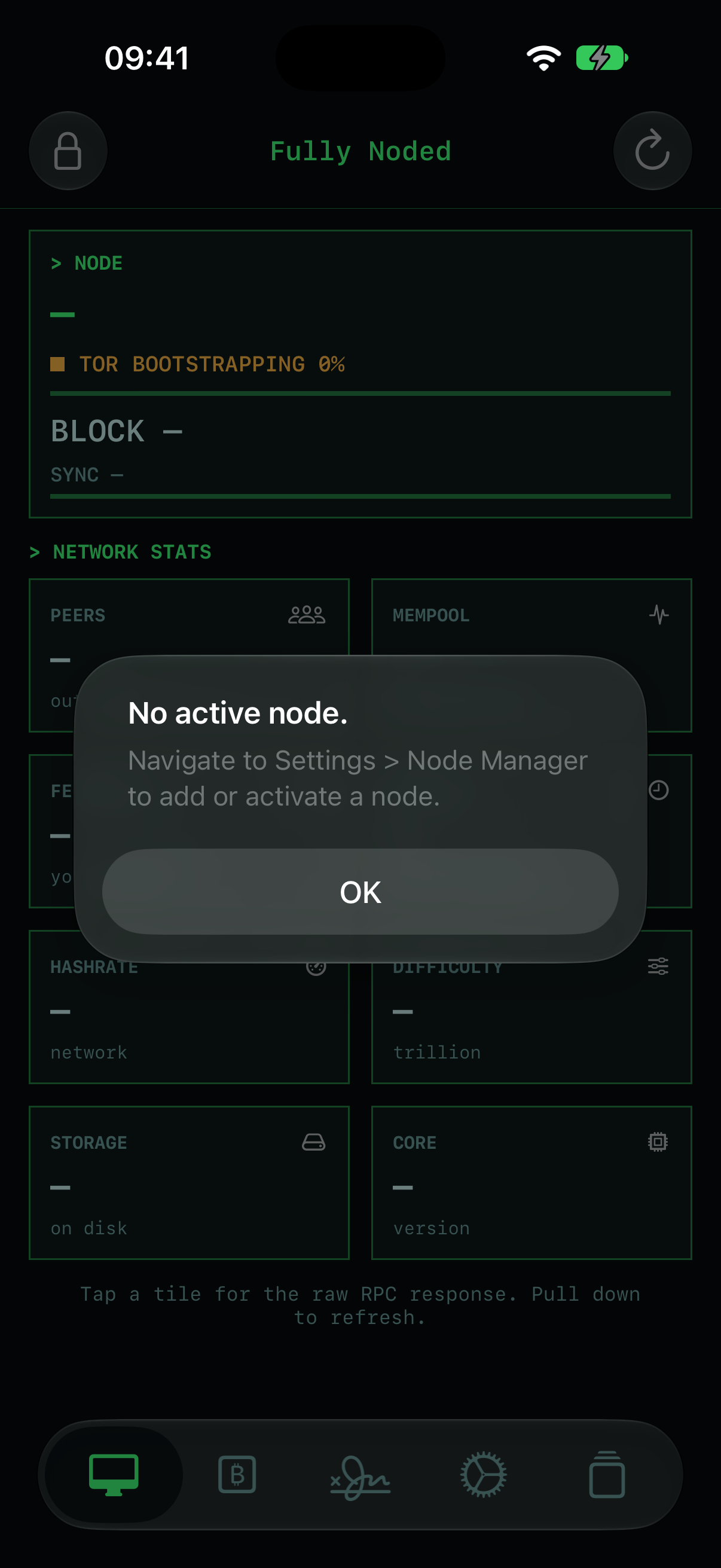
Open Fully Noded. With no node configured yet, it’ll tell you so and point you to the Node Manager.
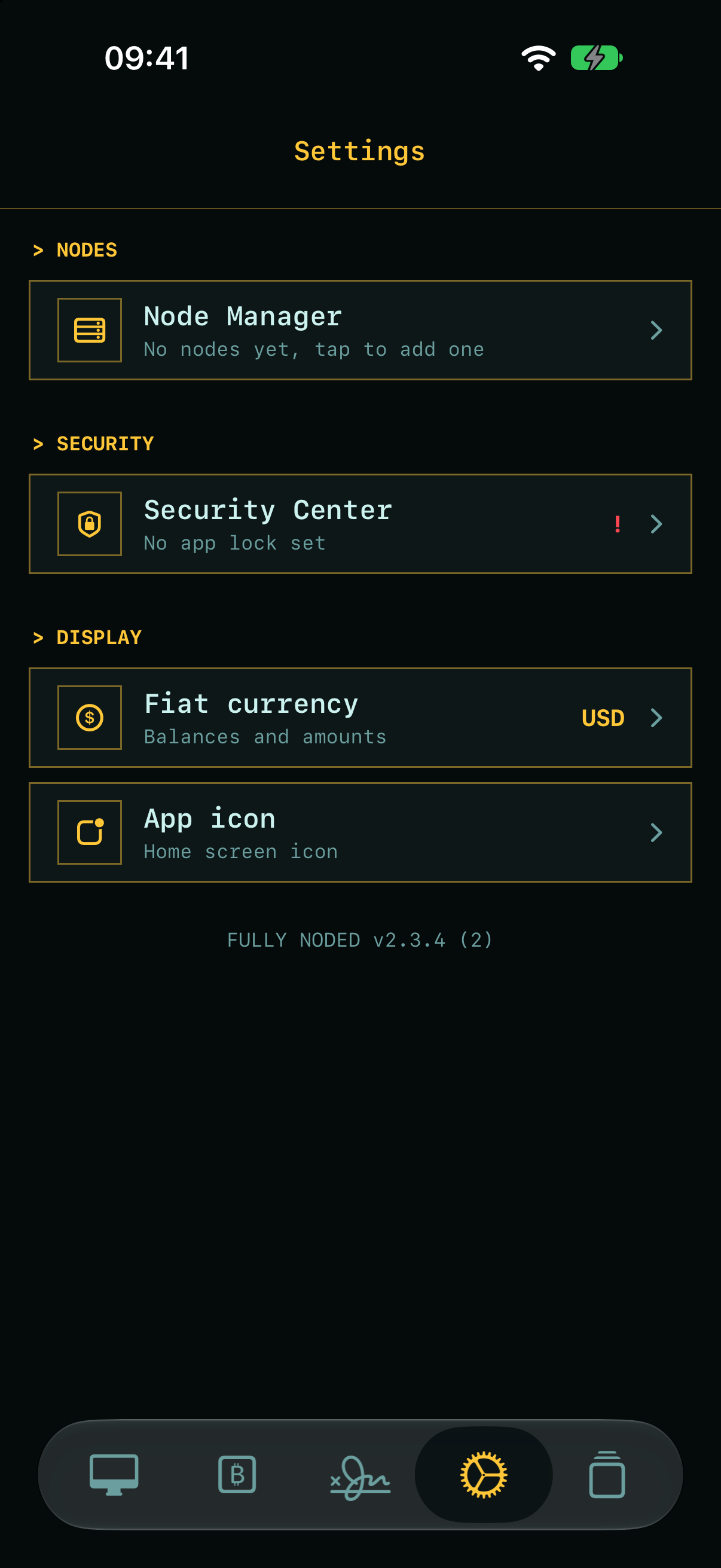
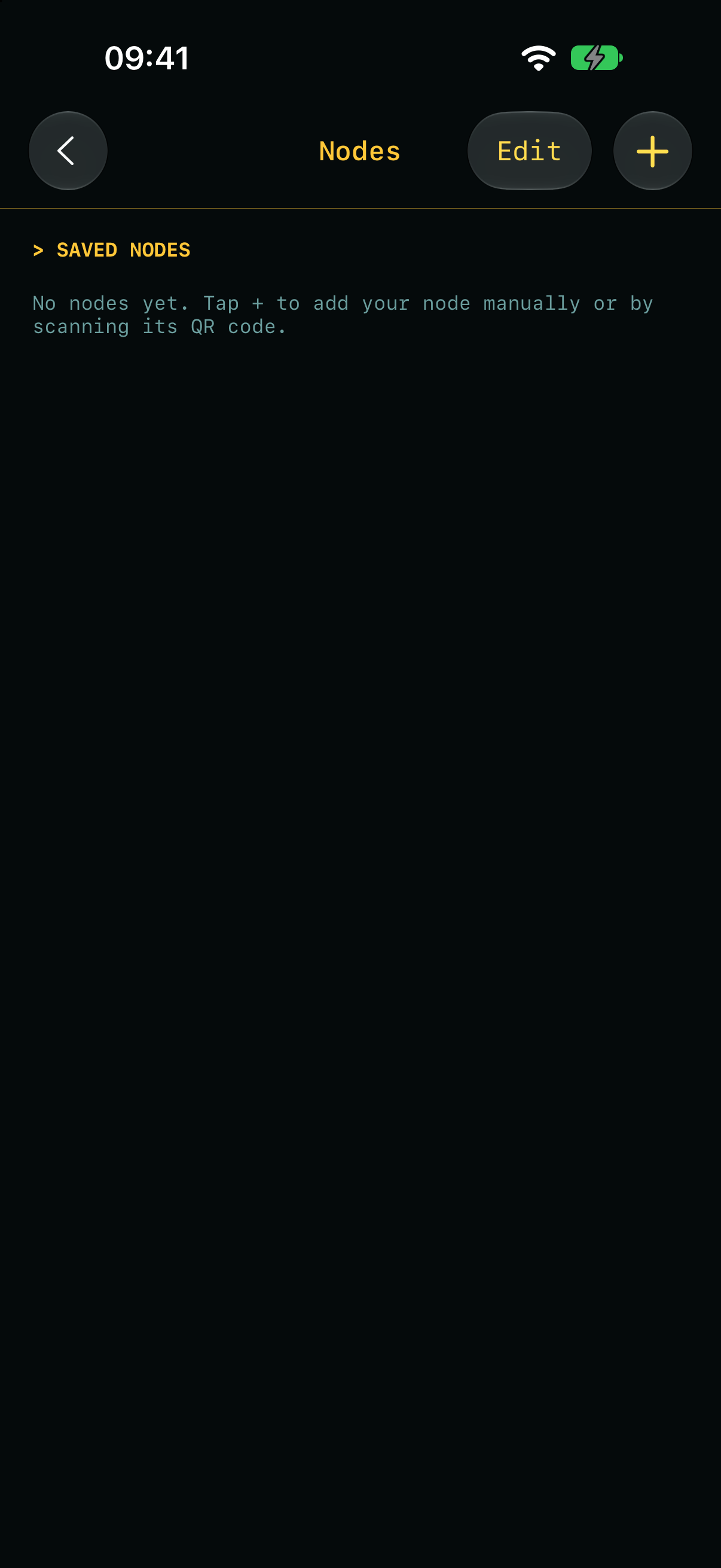
Go to Settings → Node Manager and tap +.
The easy way: Quick Connect
Choose Scan QR. In FN-Server, click Quick Connect on the Bitcoin Core tab and scan the code it shows. It contains your node’s onion address and RPC credentials, so Fully Noded is configured in one step. If Fully Noded is installed on the same Mac, Quick Connect can add it with a single click.
Treat that QR code like a password. Anyone who scans it can control your node’s wallets. Never screenshot or share it.
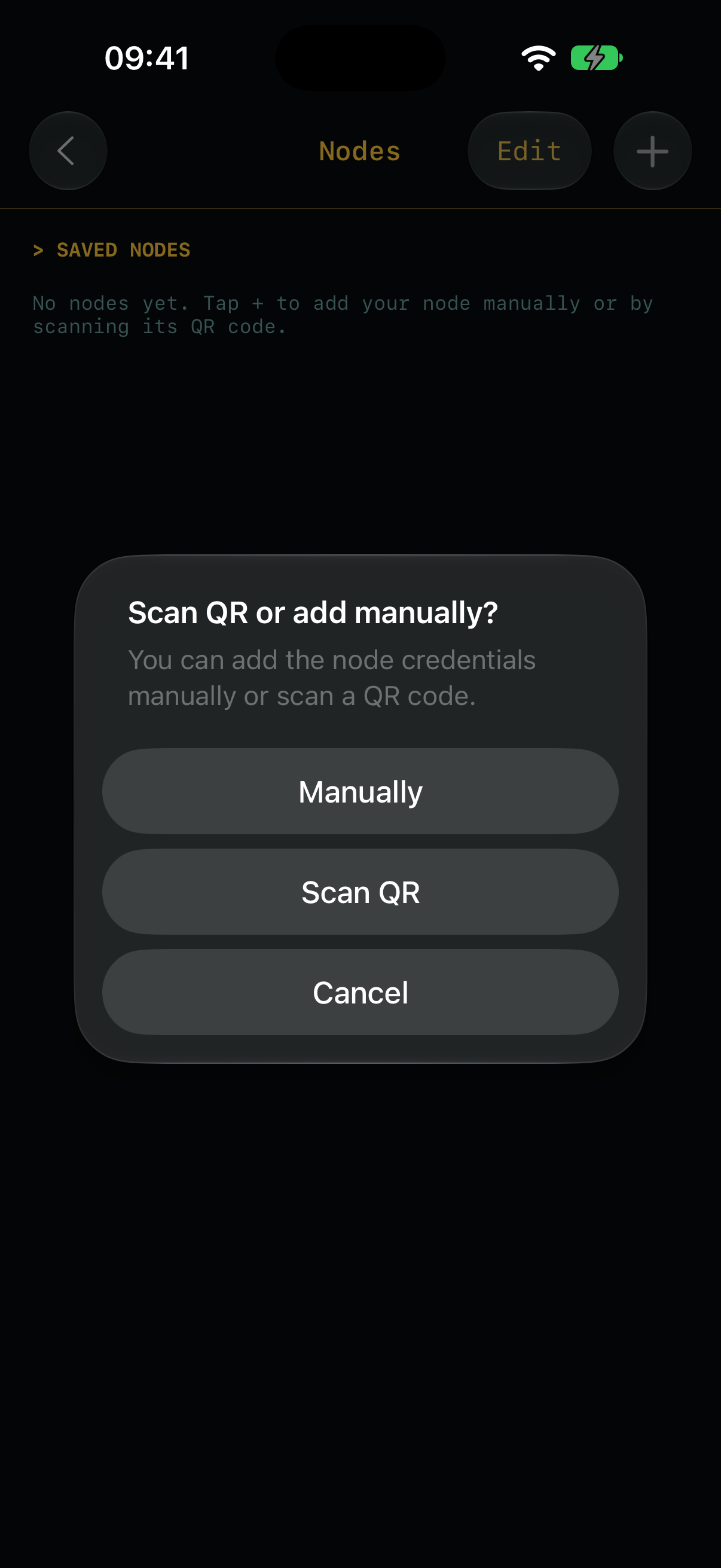
The manual way
Choose Manually. Fully Noded generates a strong RPC password for you and shows the matching rpcauth= line.
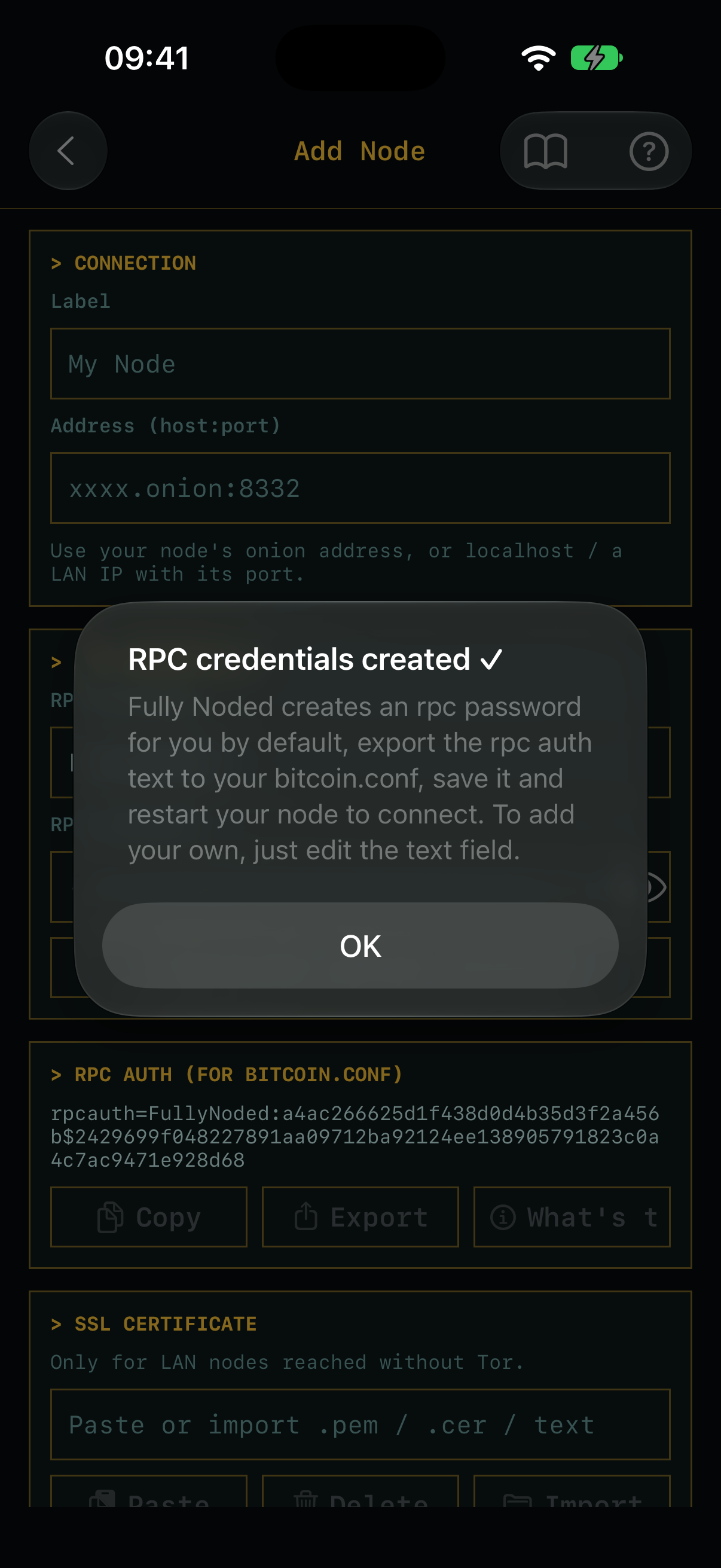
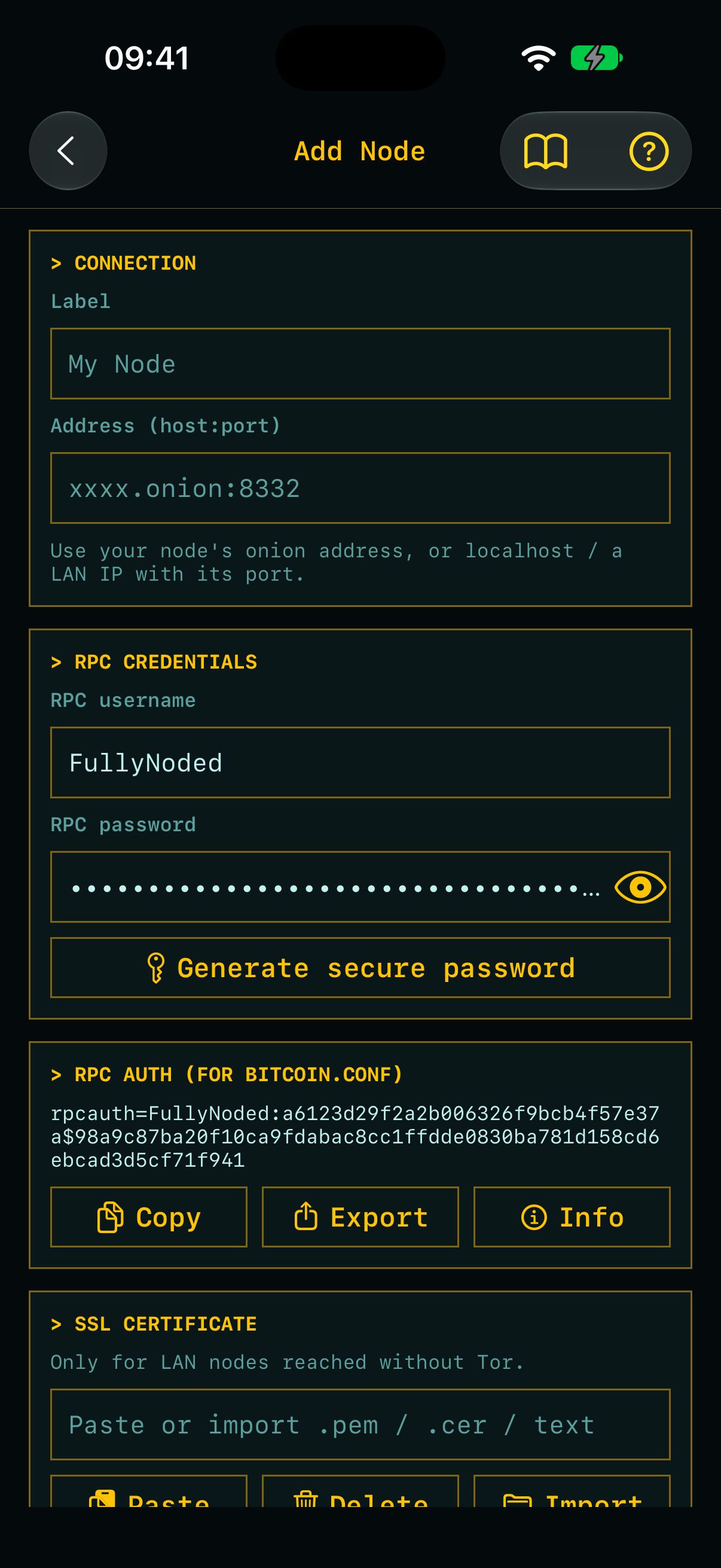
- Give the node a Label.
- Enter the Address as
host:port: your node’s.onionaddress (e.g.xxxx.onion:8332), orlocalhost/ a LAN IP when you’re on the same network. - Tap Copy or Export under RPC auth, add that line to your node’s
bitcoin.conf, and restart Bitcoin Core. - Save. For LAN connections without Tor you can optionally paste your node’s SSL certificate.
4. Check the dashboard
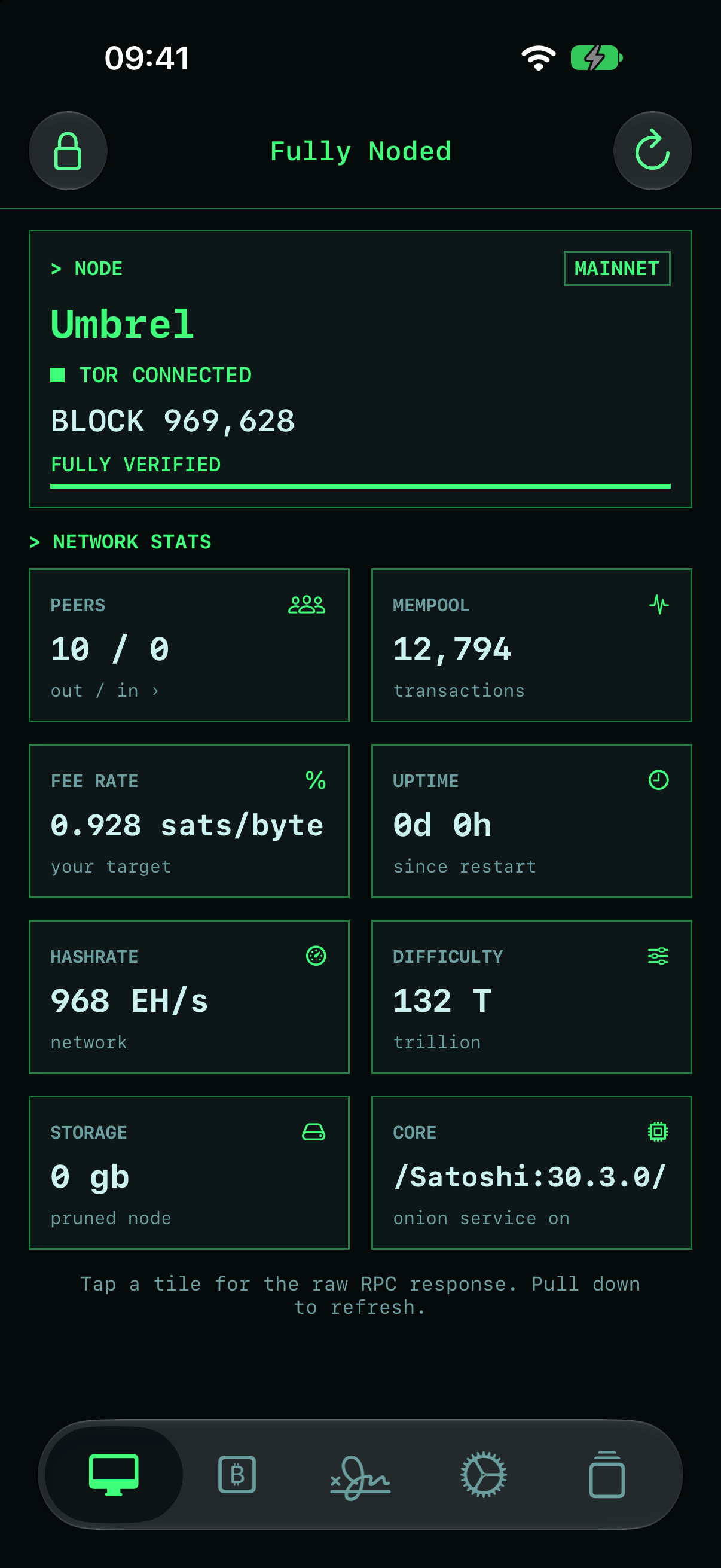
Back on the home tab, Fully Noded bootstraps Tor and connects. Once connected the tiles fill in with live data from your node: block height, sync progress, peers, mempool, fee rate, uptime, hashrate, difficulty, storage and Core version. Tap any tile to see the raw RPC response; pull down to refresh.
5. Next steps
- Lock the app: Settings → Security Center to set an app lock.
- Create or import a wallet from the ₿ tab: single-sig, multisig, or any output descriptor.
- Add a signer to keep your seed on this device, separate from your node, for offline signing.
- Read How it works to understand what’s happening under the hood.

